

How Google Cloud AI Helps Everyday Businesses Automate Daily Tasks
For many business leaders, "artificial intelligence" still sounds like a futuristic concept reserved for tech giants or specialized engineering teams. However, the most effective uses of AI today are much simpler: eliminating repetitive busywork, speeding up document reviews, and helping teams find accurate answers in seconds.
Google Cloud AI provides practical, accessible tools that plug directly into the business apps your team uses every day. Here is a plain-English guide to how companies are using Google Cloud AI to streamline operations and boost productivity.
Google Workspace automation seamlessly connects your daily productivity apps, laying the groundwork for integrated enterprise AI workflows.
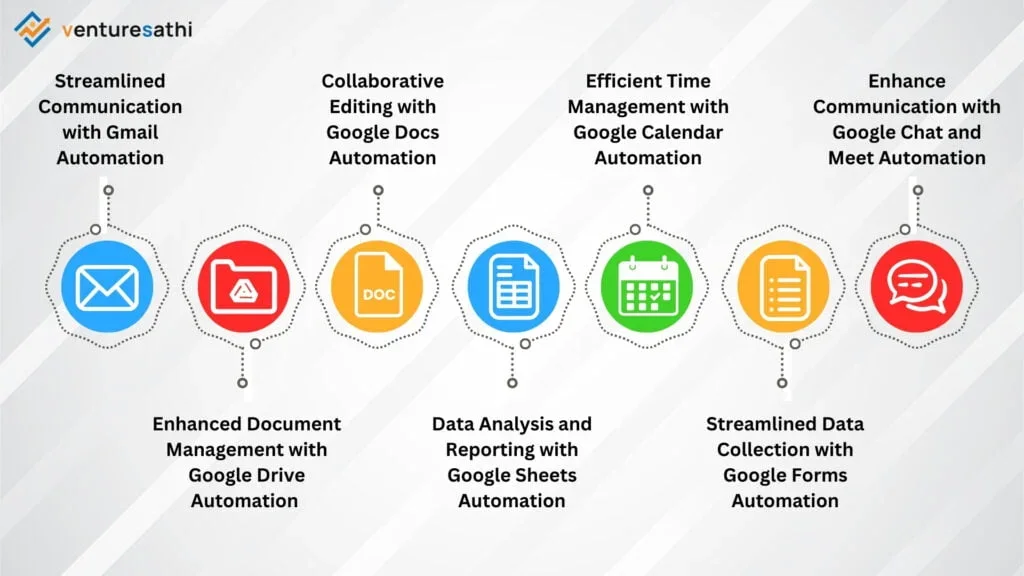
https://venturesathi.com/topical-blogs/transform-business-google-workspace-automation/
1. Transforming Unstructured Files into Actionable Data
Every company deals with unstructured documents, like PDF receipts, signed contracts, vendor invoices, and handwritten customer feedback forms. Manually reading through these files and typing data into spreadsheets wastes hundreds of staff hours every month.
With Google Cloud Document AI, businesses can automatically extract key information from complex documents with high accuracy:
- Invoice & Receipt Processing: Automatically read vendor invoices, log payment amounts, and cross-reference order numbers with your inventory database.
- Contract Analysis: Instantly highlight expiration dates, renewal terms, or missing signatures across legal agreements.
- Customer Support Forms: Read incoming paper or digital forms and route them to the correct department based on topic urgency.
Official Resource: Read more about automated document processing on the Google Cloud Document AI Overview.
2. Empowering Teams with Smart Internal Search
How much time does your staff spend hunting for internal policies, product specifications, or past project reports?
When files are scattered across Google Drive, local folders, and email threads, finding a single answer can take hours. Vertex AI Search acts like a private Google Search engine built strictly for your company's internal files.
Public Search vs. Enterprise Vertex Search
- Public Search Engine: Scours the open web to provide general information.
- Vertex AI Search: Scours only your private, authorized company documents to deliver exact answers with clear source citations.
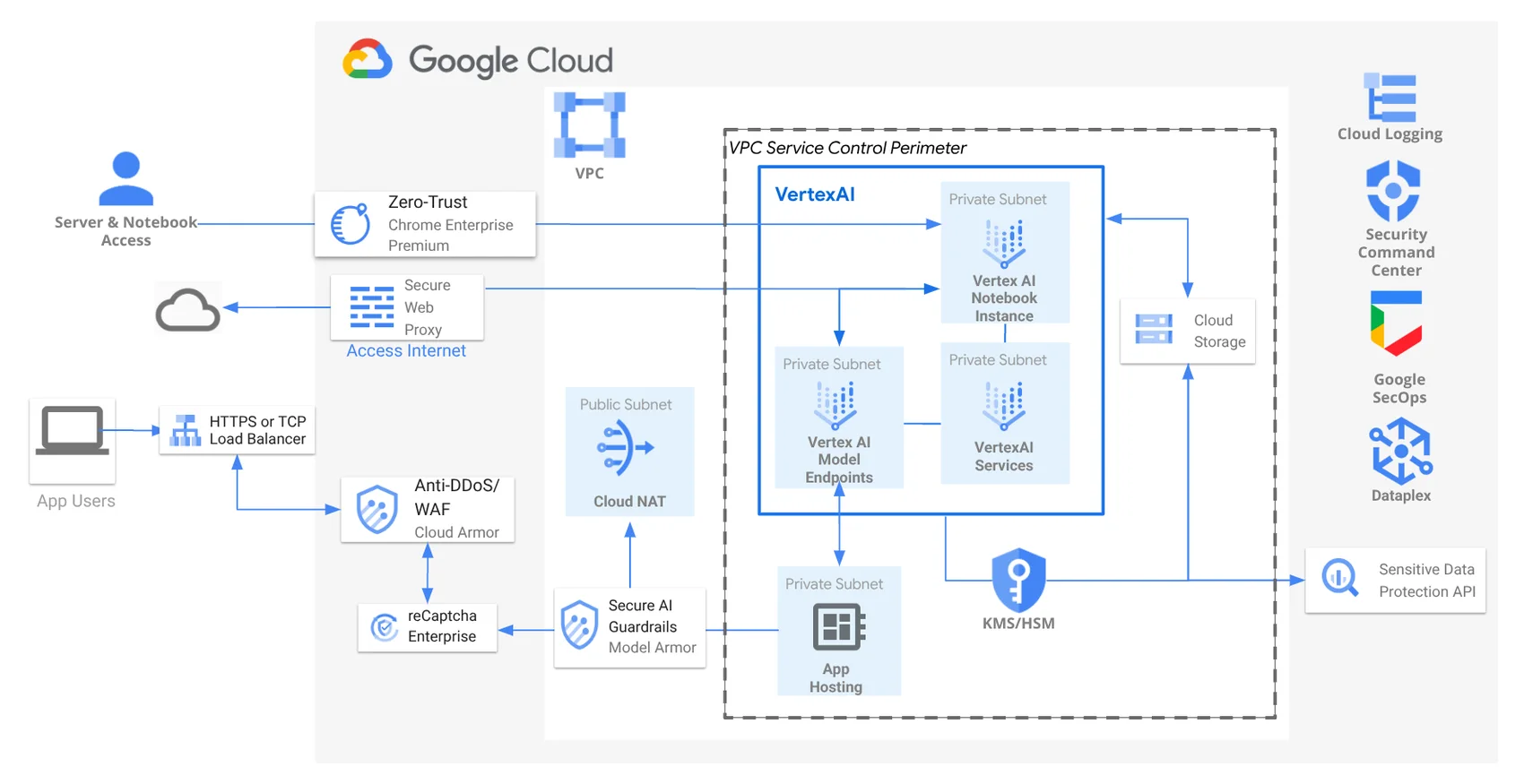
Because Vertex AI operates within your private Google Cloud environment, your internal documents remain completely secure and are never shared with public models.
Google Cloud AI connects private company inputs directly to secure business applications while keeping enterprise data protected.
3. Practical Steps to Automate Your Business Workflows
You don't need a team of developers to start benefiting from Google Cloud AI. Following a structured roadmap ensures a smooth transition:
Step 1: Identify Your Primary Bottleneck
Look for tasks that are frequent, rules-based, and consume significant staff time. Common starting points include processing customer returns, summarizing meeting notes, or organizing vendor records.
Step 2: Organize Your Source Files
Ensure the documents you want AI to read are stored in a central Google Cloud storage location with appropriate access controls.
Step 3: Start with Pre-Built AI Models
Google Cloud offers ready-to-use models through Vertex AI that require zero coding experience. You can test these tools on a small sample of documents before expanding across your entire organization.
Official Resource: Explore pre-built enterprise tools in the Google Cloud Vertex AI Documentation.
Real-World Impact: Operations Before & After AI
Task | Traditional Approach | With Google Cloud AI |
Vendor Invoice Logging | Staff manually enters line items (15–20 mins per invoice). | Document AI extracts data instantly for manager review (10 secs). |
Policy Search | Employees email HR or read through 50-page PDFs. | Vertex AI Search answers questions instantly with page references. |
Customer Feedback | Team manually reads and categorizes feedback tags. | AI sorts feedback by sentiment and routes urgent issues automatically. |
Getting Started
Automating daily business processes with Google Cloud AI doesn't require a massive budget or years of setup. By targeting one or two high-volume tasks, your business can quickly free up staff time and reduce operational overhead.
Ready to automate your routine workflows?
Contact GigaSphere today to schedule a free automation consultation and see how Google Cloud AI can work for your business.